.github
Analysis
Target users
- Age range: 8 -> 75
- Level of confidence with technology:
- Know how to use a smartphone
- Know how to browse the internet
- Goals and reasons:
- Easier and constant home monitoring
- Remote interaction with their home or devices
- Automation to speed up or ease recurring activities
- Reduce their home environmental footprint
- Interests:
- Keeping their home up to date with the latest technologies
- Electronics
- IT
- Being environment friendly
Personas
Alex Carter

- Type of target user: Geek homeowner
- Age: 43
- Occupation: Software Engineer
- Tech Confidence: High
- Goals:
- Experiment with custom automations for smart devices.
- Seamlessly integrate new devices from various manufacturers.
- Interests:
- Programming, optimizing home workflows, staying on the cutting edge of technology.
- Relationships:
- Mia Fernandez’s husband
- Liam Carter’s parent
- Emma Carter’s parent
Mia Fernandez

- Type of target user: Eco-Conscious Parent
- Age: 40
- Occupation: Environmental Consultant
- Tech Confidence: Moderate
- Goals:
- Monitor and reduce energy consumption at home.
- Get notifications on energy usage trends or anomalies.
- Interests:
- Environment-friendly practices, sustainable living, family well-being.
- Relationships:
- Alex Carter’s wife
- Liam Carter’s parent
- Emma Carter’s parent
Emma Carter

- Type of target user: Young Teen
- Age: 10
- Occupation: Elementary School Student
- Tech Confidence: High given her age
- Goals:
- Playfully disrupt Liam’s automations (e.g., turning lights off and on).
- Interests:
- Playing games, trying out tech, and sibling rivalry.
- Playing music in her room.
- Relationships:
- Liam Carter’s sister
Liam Carter
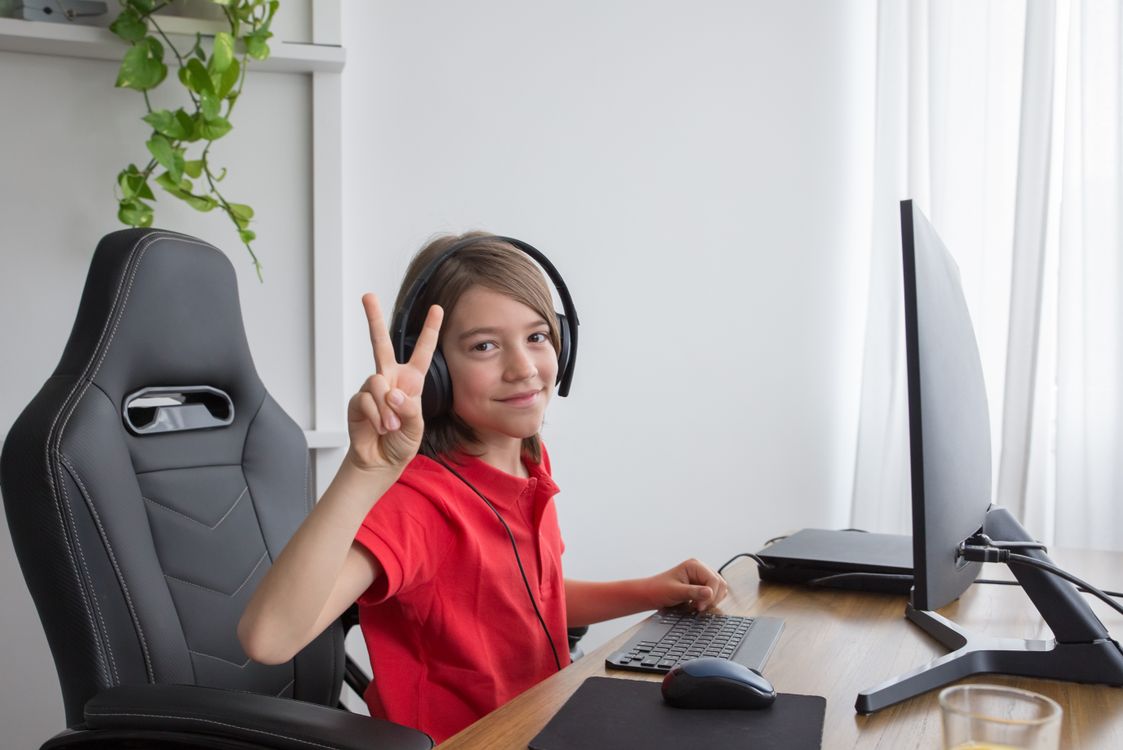
- Type of target user: Young Teen
- Age: 12
- Occupation: Student
- Tech Confidence: Moderate
- Goals:
- Customize lights or music for their room.
- Prank his sister by locking her in her room when she makes fool of him.
- Interests:
- Gaming setups, customizing room ambiance, experimenting with tech.
- Relationships:
- Emma Carter’s brother
Evelyn Moore

- Type of target user: Elderly User
- Age: 72
- Occupation: Retired Teacher
- Tech Confidence: Low
- Goals:
- Turn on and off lights without having to get to the switch.
- Receive clear and concise alerts for critical security events.
- Interests:
- Home security, maintaining independence.
Jordan Patel
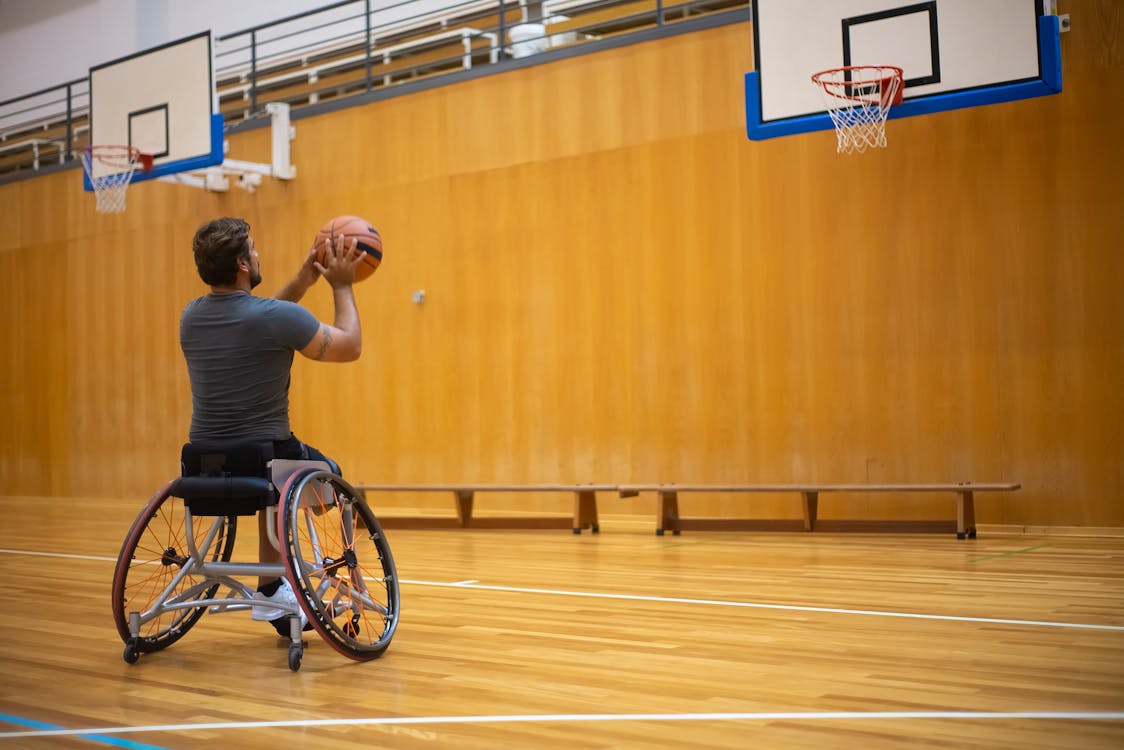
- Type of target user: Mobility-limited User
- Age: 32
- Occupation: Freelance Illustrator
- Tech Confidence: Moderate
- Goals:
- Use voice commands or simplified controls due to mobility limitations.
- Automate routines to enhance accessibility (e.g., blinds opening automatically).
- Interests:
- Accessibility tech, convenience, creative pursuits, basketball.
Claire Bennett

- Type of target user: Busy Professional
- Age: 45
- Occupation: Corporate Executive
- Tech Confidence: Moderate
- Goals:
- Take care of the house remotely due to frequent business trips.
- Automate recurring tasks like setting the thermostat or starting appliances.
- Interests:
- Work-life balance, smart time management, luxury tech.
Requirements
User stories
| As a | I want | so that |
|---|---|---|
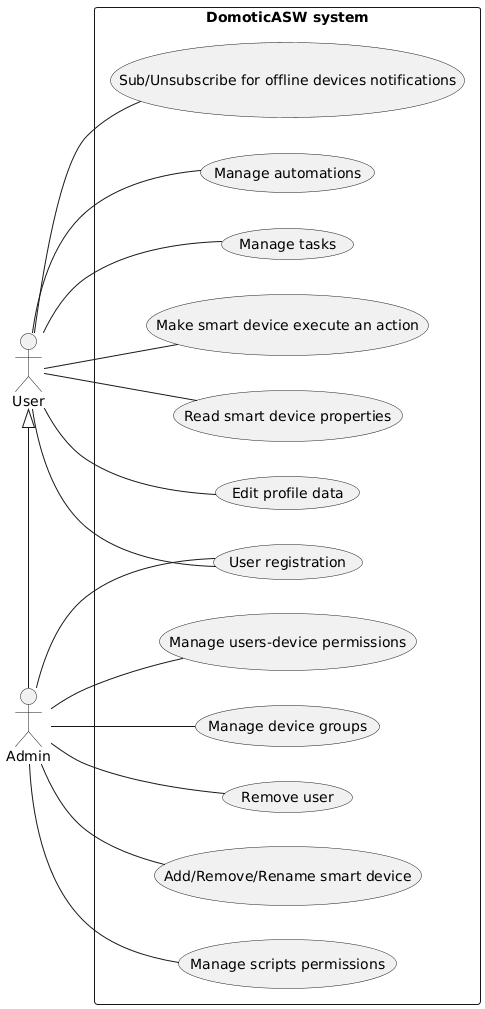
| Admin | to add, remove or rename smart devices in my smart home | i can extend my domotic system |
| Admin | to be able to set up user-device permissions and as a consequence tasks can be executed only by users that own the user-device permission for every device included in the task | i can prohibit uninteded use of the system |
| Admin | tasks to have a user whitelist and a user blacklist to override user-device permissions | i can prohibit uninteded use of the system |
| Admin | tasks and automations to have an editlist to specify which user can edit that | i can prohibit uninteded use of the system |
| Admin | to review and accept or decline users registration requests | i can manage who has access to the system |
| Admin | to be able to remove users from the system | i can manage who has access to the system |
| Admin | to organize the home devices in groups | it’s easier to manage them |
| User | to see the properties exposed by my smart devices | i can gain knowledge about the state of the house |
| User | to make smart devices execute an action | i can alter the state of the house |
| User | to set up tasks to be executed with one click | i can automate the execution of multiple instructions |
| User | to express conditional logic in my tasks | i can achieve complex behaviour |
| User | to set up automations to be executed periodically or when specific triggering events happen | my home can do stuff even without me taking care of it |
| User | to enable and disable automations | i can stop some automations to run for a while |
| User | to receive a notification when a specific device goes offline | i can fix problems in case they happen |
| User | to edit my profile data like my nickname, email and password | i can keep my data up to date |
Non functional requirements
- The domotic system must be compatible with devices produced by multiple other manifacturers
- The domotic system should be accessible through the internet so that it can be accessed remotely
- The domotic system should be accessible through the local network so that internet access is not required when the user is phisically in their house
- The domotic system should be accessible both from desktop and mobile clients
- Users (and the admin) must be authenticated in order to interact with the system
- The server should restart automatically in case of a crash
Ubiquitous language
| Word | Definition | Synonyms |
|---|---|---|
| User | A person which interacts with the domotic system | |
| Nickname | A simple name or string that the user choose to present himself to other users | Username |
| An e-mail address that it used to identify a user inside the system | ||
| Password | A string that grants the access to a user account | |
| Admin | A role played by a user of the system which is responsible for its management | Administrator |
| Smart home | A phisical house equipped with a software to manage connected smart devices | Domotic, Domotic system, Home, System |
| Smart device | An electronic device able to interact or sense the environment, generally connected to other devices or networks | IoT device, device |
| Client | A computer (mobile or desktop) used by the users to interact with the system | |
| Remote access | Ability to access the domotic system even if not connected to the local network | |
| Property | Some data provided by a smart device | Device data |
| Action | An operation that can be executed by a smart device | |
| Notification | A message sent by the server to every user that wants to receive it | |
| Instruction | An operation that can be executed by the domotic system (for example running a device action, reading some property on a device or sending a notification, wait for some time, set constants for scripting purposes and start other tasks). Instructions can have inputs | |
| Constant | A name with an associated value of a specific type. It can be set manually or by reading a device property | variable |
| Type (scripting) | A set of possible values | |
| Control flow instructions | Instructions that can alter the control flow of the script (if and if-else) based on a condition | |
| Condition | An expression that results in a boolean value | |
| Task | A sequence of instructions to be executed | |
| Automation | A sequence of instructions triggered by an automation trigger | |
| Script | A task or an automation | |
| Active/Inactive automation | An automation that is/is not run by the domotic system when it triggers | |
| Automation trigger | A device event or a time period specification | trigger |
| Triggering period | How frequently an automation should be run, has a starting point in time | period |
| Device event | An event that can be fired by a device | |
| Offline device | A smart device that is not reachable by the domotic system | |
| Interacting with a device | A client that reads properties or runs actions on a smart device | |
| User-Device permission | Right of a user to interact with some device | User permission |
| Task permissions | A task whitelist, blacklist and editlist | |
| Automation permissions | An automation editlist | |
| Task whitelist | A list of users that can run the task regardless of their user-device permissions | |
| Task blacklist | A list of users that cannot run the task regardless of their user-device permissions | |
| Task/Automation editlist | A list of users which can edit the script | |
| Registration request | A user must send a registration request that must be accepted by the admin before he can interact with the system | |
| Device group | A grouping of smart devices, each device can be part of 0 or N groups | Group |
| Server | A computer installed in the house responsible for managing all aspects of the domotic system | |
| Token | A piece of data that contains information about a user and it’s role in the system. It is signed in order to prove it’s validity |
Use case
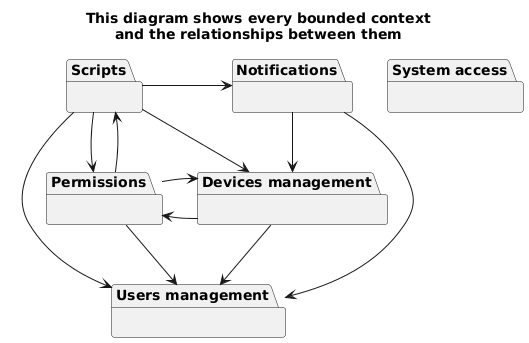
Bounded contexts
-
Users management context
This context handles everything related to user accounts.
- User login, registration, approval, and removal.
- Session token verification
- Editing user profiles (nickname, email, password).
-
Devices management context
This context is responsible for managing the lifecycle of smart devices and the interfaces they offer.
- Adding, removing, and renaming smart devices.
- Organizing devices into groups.
- Tracking device status (online/offline).
- Exposing device properties and events.
- Managing device actions (executing them and setting input controls).
-
Scripts context
This context focuses on automating the functionality of the smart home.
- Defining and executing tasks
- Defining automations triggered by events or periodically.
- Managing automation states (active/inactive).
- Providing graphical scripting capabilities (constants, control flow instructions, and conditions).
-
Permissions context
This context handles everything related to permissions and access control.
- Handling user-device permissions.
- task whitelist/blacklist.
- scripts editlist.
-
Notifications context
This context handles notifications sent to the users.
- Sending notifications when devices go offline
- Sending custom notification from tasks
- Configuring notification preferences for users.
-
System access context
This context deals with remote/local system access.
- Supporting local network access when users are home.
- Enabling remote access for managing the system from anywhere.